Fill mode
Use Fill mode to mark cells that should belong to a rectangle.
Learn the rules before solving your first puzzle.
Fill the board so that every row and column contains exactly the number of filled cells shown by its clue.
Use Fill mode to mark cells that should belong to a rectangle.
Use Empty mode to mark cells that cannot contain a filled cell.
Here is a small example showing how to solve a beginner puzzle step by step.
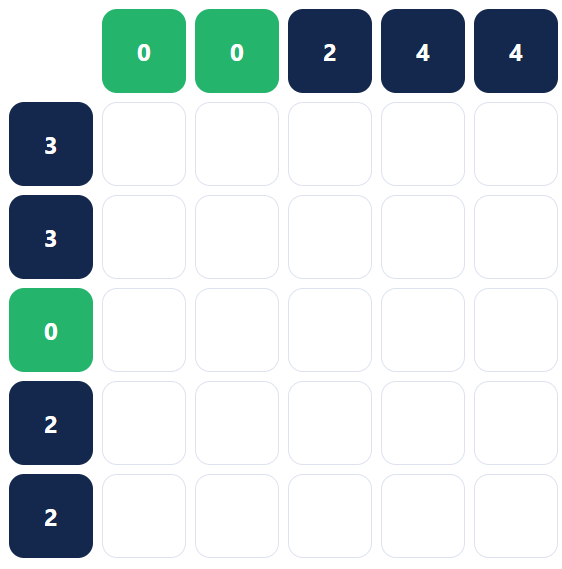
Start with an easy puzzle and look for simple clues, especially rows or columns with 0.
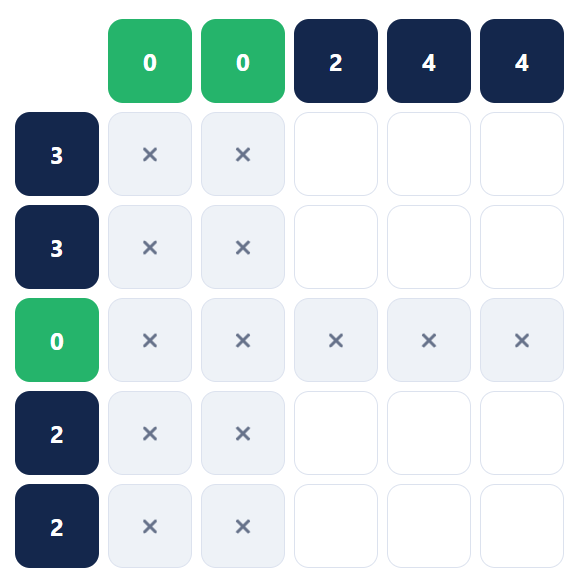
If a row or column has a clue of 0, none of its cells can be filled.
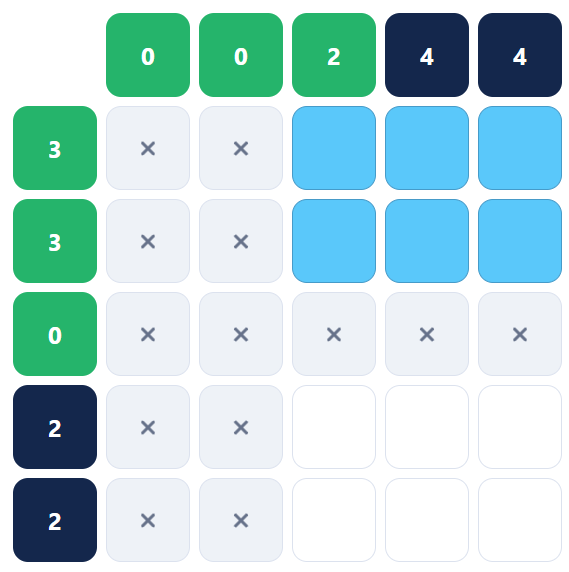
After ruling out impossible cells, look for groups of cells that can form a valid rectangle and satisfy multiple clues at once.
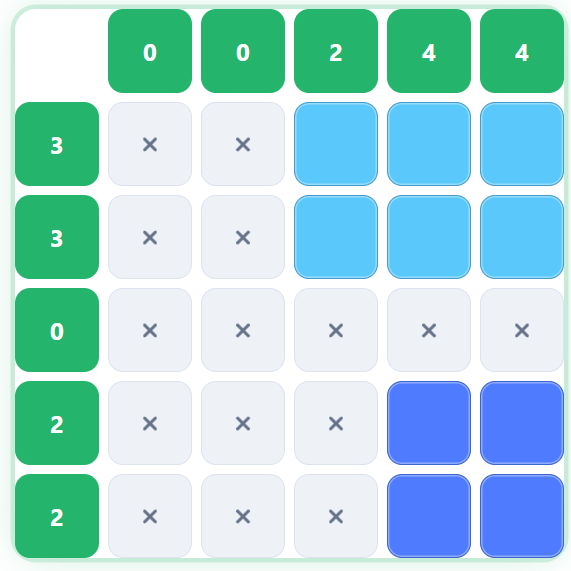
Keep filling valid rectangles and marking the remaining cells as empty until every row and column clue is satisfied.